What a digital twin is
A digital twin is a digital replica of a physical asset —a building, a plant, an infrastructure— that stays connected to its real state and is used to make decisions about it. It is not just a 3D model: it is a model with data, with a history and with a purpose, which is updated when the asset changes.
The ISO/IEC 30173:2023 standard sets out the concepts and terminology of the digital twin, and in construction the Centre for Digital Built Britain’s Gemini Principles sum up the idea with three conditions: it must have a clear purpose, be trustworthy and work with open, secure data.
Three features set it apart from any other 3D representation:
- Correspondence with reality. It reflects what exists, not what was designed.
- Connection with data. Documents, inspections, maintenance, sensors or cameras linked to the elements of the model.
- Updating. It changes when the asset changes. If it is not updated, it stops being a twin and goes back to being a model.
Digital twin, BIM model, point cloud and 3D model
These are four things that are often confused and that, in a real project, are usually parts of the same system:
| What it is | Reflects reality | Is updated | |
|---|---|---|---|
| 3D model | Geometry for visualisation | Not necessarily | No |
| Point cloud | Measurement of what exists, millions of XYZ points | Yes, on the capture date | With a new capture |
| BIM model | Objects with type, geometry and properties | The as-built does; the design model doesn’t | Only if someone maintains it |
| Digital twin | Cloud and/or model + asset data + consultation platform | Yes | Yes, by definition |
Put another way: the point cloud and the as-built BIM model are the foundations; the digital twin is the building constructed on top.
The layers of a digital twin
- Measured reality. The point cloud from laser scanning, SLAM or drone, georeferenced. It is the starting truth.
- BIM model. The elements that need to be managed, modelled on the cloud with just the right level of detail and classified so data can be linked.
- Asset data. Data sheets, warranties, maintenance plans, inspections, sensor readings, camera images.
- Platform. Where all of that is consulted: a web viewer with layers and permissions, accessible without licences to whoever operates the asset.
Types of digital twin by what they do
More useful than hunting for a perfect definition is asking what the twin has to do. In practice there are three steps:
- Descriptive. It faithfully shows what the asset is like and stores its documentation. It is updated with new captures and inspections. It is the most common and the one that pays for itself fastest.
- Monitored. It adds data that arrives continuously: site cameras, level or deformation sensors, consumption. It lets you see changes without going to site.
- Predictive. It uses that data to simulate or anticipate: planning maintenance, forecasting a deformation, testing an intervention before carrying it out.
There is no need to start with the last one. A well-built descriptive twin is the essential base for the other two.
Digital twin examples
Water infrastructure
On the Santillana Canal, for Canal de Isabel II, we scanned more than 12 km of conduits into one continuous point cloud. That cloud is the measured-reality layer of a descriptive twin: it lets the canal’s condition be consulted from the office, interventions in confined sections be planned and comparisons be made with future captures. We explain it in the full case study.
Works in progress
On site, the twin is fed daily. Platforms such as VisionHub bring together the BIM model, the point cloud, live cameras, timelapses and 360° tours, so the site supervision team can compare what has been built with what was designed without travelling.
Industry and plants
In a plant room or a process plant, the twin combines the real geometry of pipework and equipment with their data sheets and maintenance plan. It is used to plan shutdowns, study extensions without clashes and train new staff.
Heritage
In a historic building, the twin keeps a dated record of its condition: each new capture makes it possible to measure changes —cracks, out-of-plumb walls, loss of material— and document each intervention.
How to build the digital twin of an existing asset
- Define the purpose. Maintenance, operation, construction monitoring, conservation? It determines which layers are needed and at what level of detail.
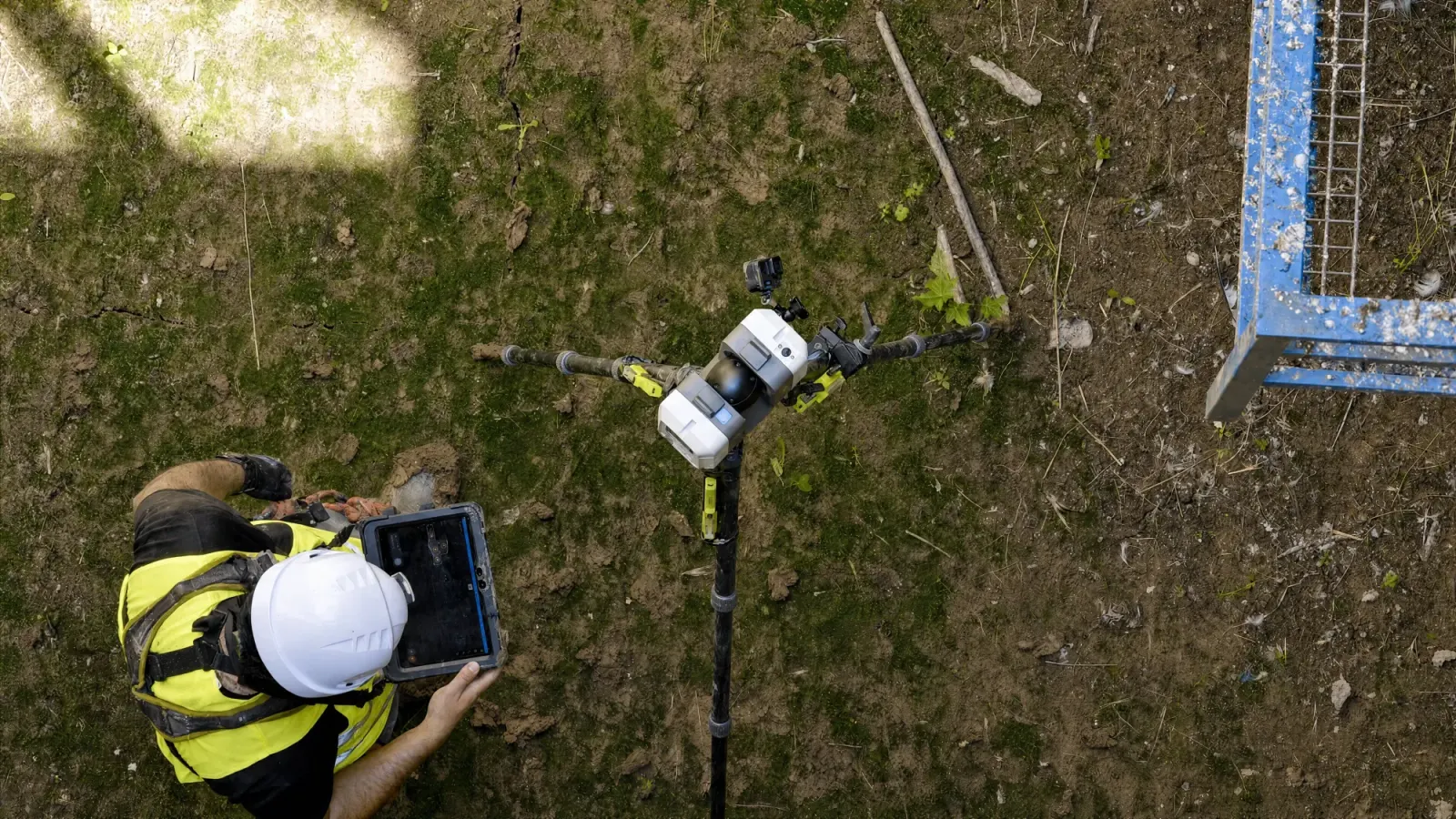
- Measure the actual state. Terrestrial laser scanning (in the order of ±2 mm under controlled conditions), SLAM for long routes, drone for roofs and surroundings. Result: a registered, georeferenced cloud.
- Model what is going to be managed. Not everything: the elements that data will be linked to, with their classification.
- Link data. Existing documentation, CMMS, sensors or cameras, depending on the type of twin.
- Publish on a platform the team can use from the browser, with permissions by profile.
- Agree on updating. Who does it, how often and with what method. That is what turns the deliverable into a twin.
Common mistakes
- Starting with the platform and leaving the measurement for later. The platform is the easy part to change; reliable geometry is not.
- Modelling everything at maximum detail. It makes the twin more expensive and slower without anyone using that detail.
- Not planning for updates. A twin that is not updated ages within months.
- Closed formats. If the cloud and the model are not in E57 and IFC, the twin depends on a single supplier.
If you are thinking about a digital twin of a building, a plant or an infrastructure asset, tell us what you want it for: we will tell you which layers you really need and where to start. Scope and process are set out on our digital twin service for buildings and infrastructure.