
Before choosing: what you need to see
A BIM viewer is a program for opening, navigating and querying a BIM model without needing the tool it was created with. It lets the client, the site supervision team (dirección facultativa) or the maintenance team review the model without paying for a Revit or Archicad licence.
But “viewing the model” means very different things depending on who is looking:
- Reviewing an IFC: navigating, checking properties, measuring, verifying the classification.
- Coordinating: detecting clashes, logging issues in BCF, tracking them between teams.
- Following the works: comparing the model with what is being built, day by day.
- Opening the point cloud that comes with an as-built model to measure on the captured reality.
We have grouped the tools by that use. Prices and features reviewed in September 2026.
1 · VisionHub: the model, the cloud and the real site in the browser
VisionHub is our platform, and we put it first because it solves in one go what the rest of the list requires three or four programs for: opening the BIM model, opening the point cloud from the scan and comparing them with what is happening on site, all from the browser and without installing anything.
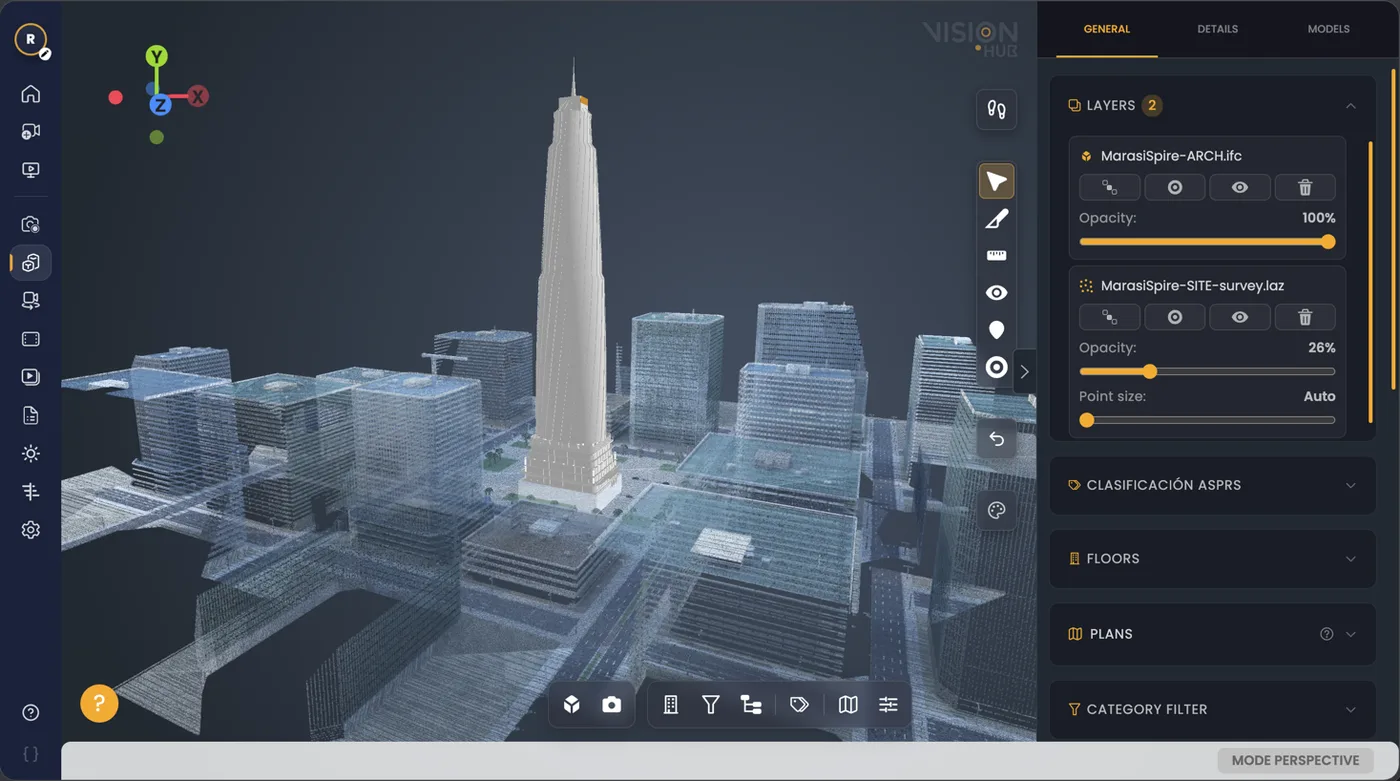
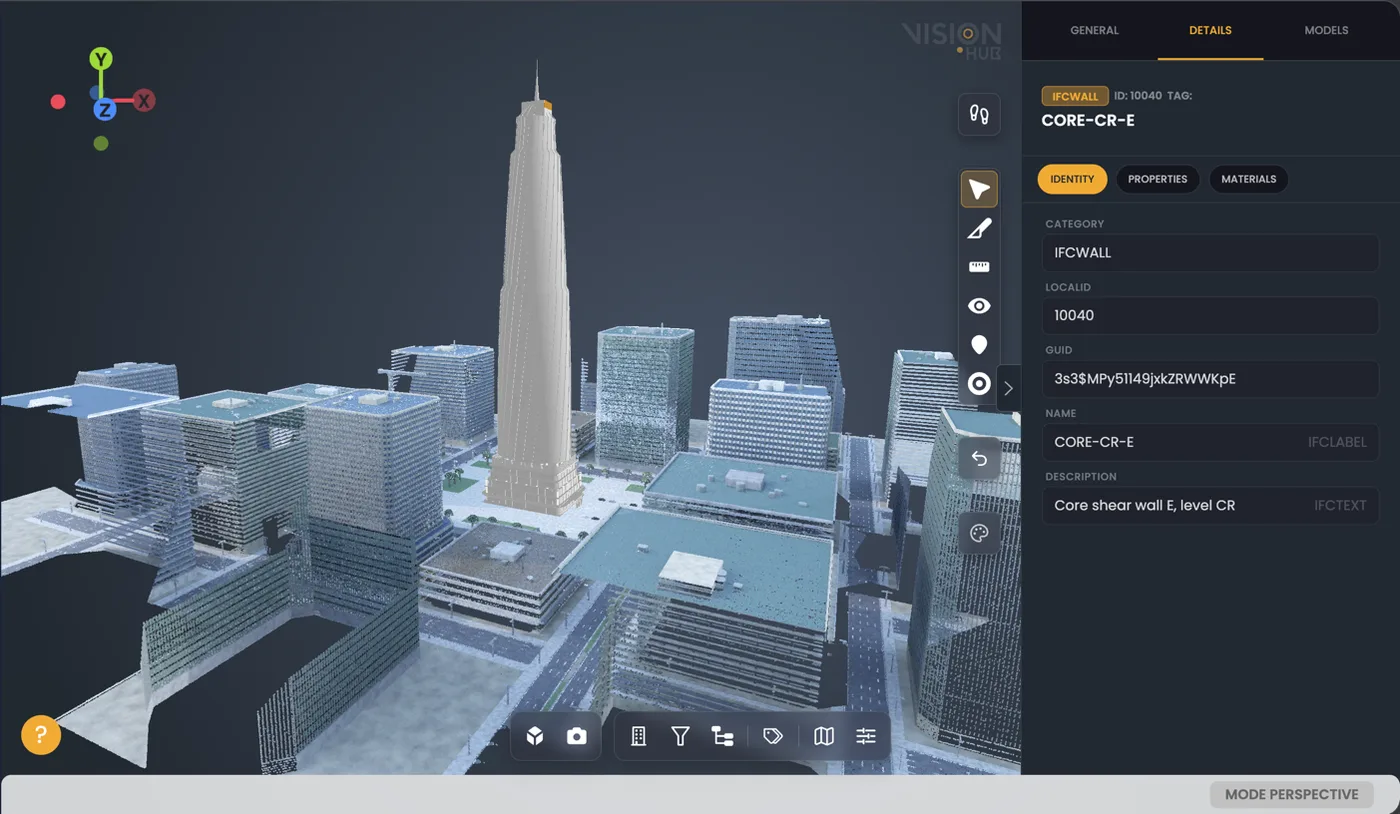
What it opens:
- BIM models in IFC, with their properties, geometry and technical data.
- Point clouds in
E57,LAS,LAZandCOPC. - Gaussian Splatting in
PLYandSPZ, for photorealistic walkthroughs. - Orthophotos, satellite imagery and GIS layers, to place the asset in its territory.
What it adds on top of a viewer:
- Digital twin to compare the current state of the works with the BIM model.
- Live cameras 24/7, continuous recording and automatic timelapse.
- 360° virtual tours and comparison of photographs between dates to detect changes.
- Project management: Gantt chart, documentation, media gallery and users with roles.
- AI analytics on the daily activity of the site.
Price: free base plan, which includes projects, roles, gallery and the BIM module; cameras, recording, timelapse and analytics are contracted separately.
Who it is for: developers, contractors, engineering firms and site supervision teams who need the whole team —including those who do not know how to open an IFC— to see the model, the scan and the works in one place.
2 · Blender + Bonsai: the free, open-source IFC editor
Bonsai (formerly BlenderBIM) is an open-source add-on that turns Blender into a complete BIM tool. It is not just a viewer: it works directly on the IFC, without converting it to a proprietary format, so you can open a model, check and correct its properties, its classification or its geometry, and save a clean IFC again.
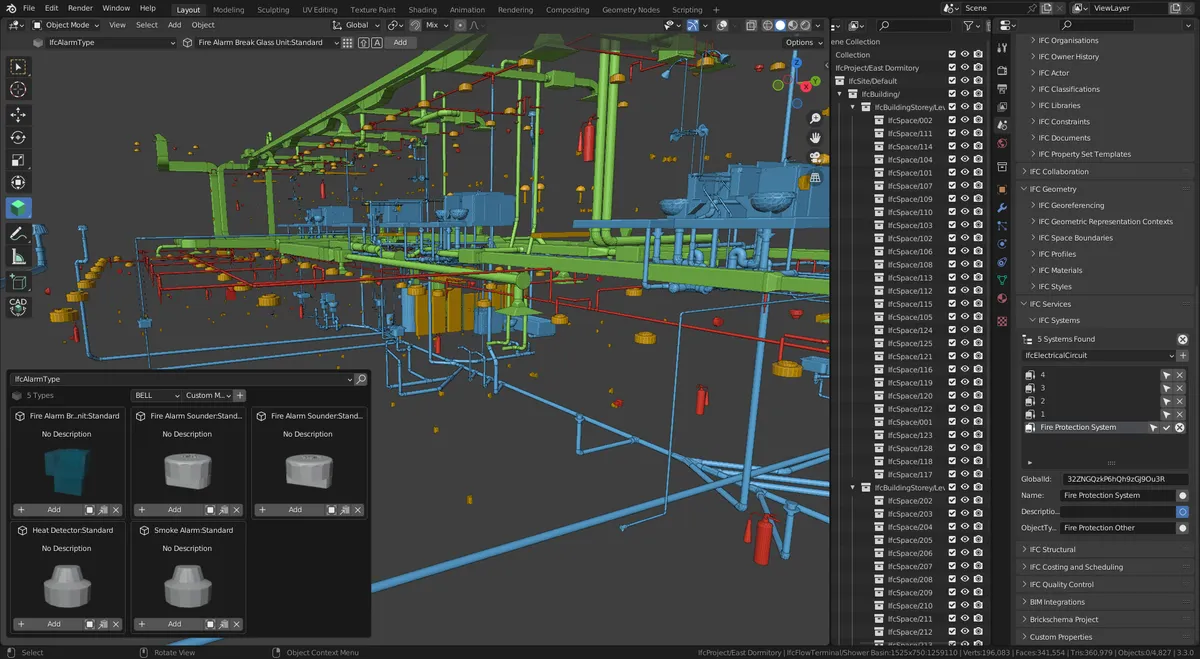
- Price: free and open source (Blender and Bonsai).
- Platform: Windows, macOS and Linux.
- Formats: IFC2X3, IFC4 and IFC4X3, plus the meshes that Blender opens. It does not open point clouds out of the box: a separate add-on is needed.
- Best for: anyone who needs to go beyond looking —reviewing data, fixing a badly exported IFC, adding classification— without paying for licences.
The learning curve is steeper than that of a web viewer, but it is the most powerful free alternative available today for working in openBIM.
IFC and BIM model viewers
3 · Autodesk Viewer
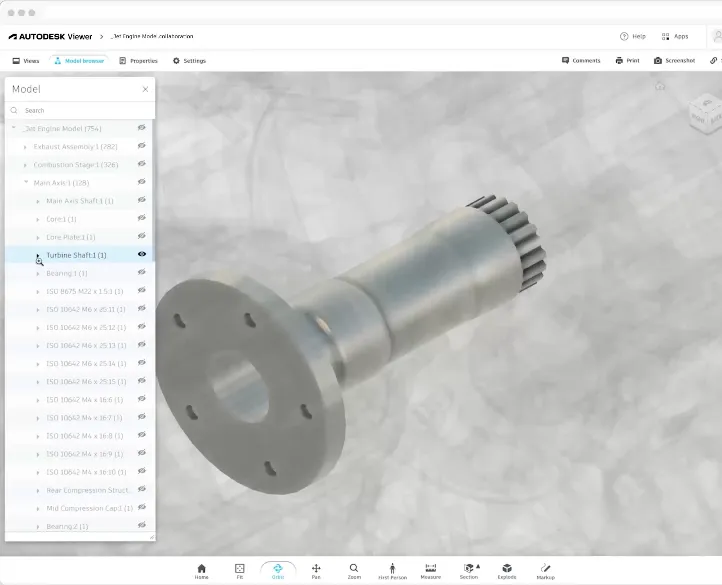
A free web viewer (requires an Autodesk account) that opens more than 80 formats, including RVT, DWG, NWD and IFC. It is the quickest way to send a Revit model to someone without a licence. It is not designed for point clouds. viewer.autodesk.com
4 · BIMcollab Zoom
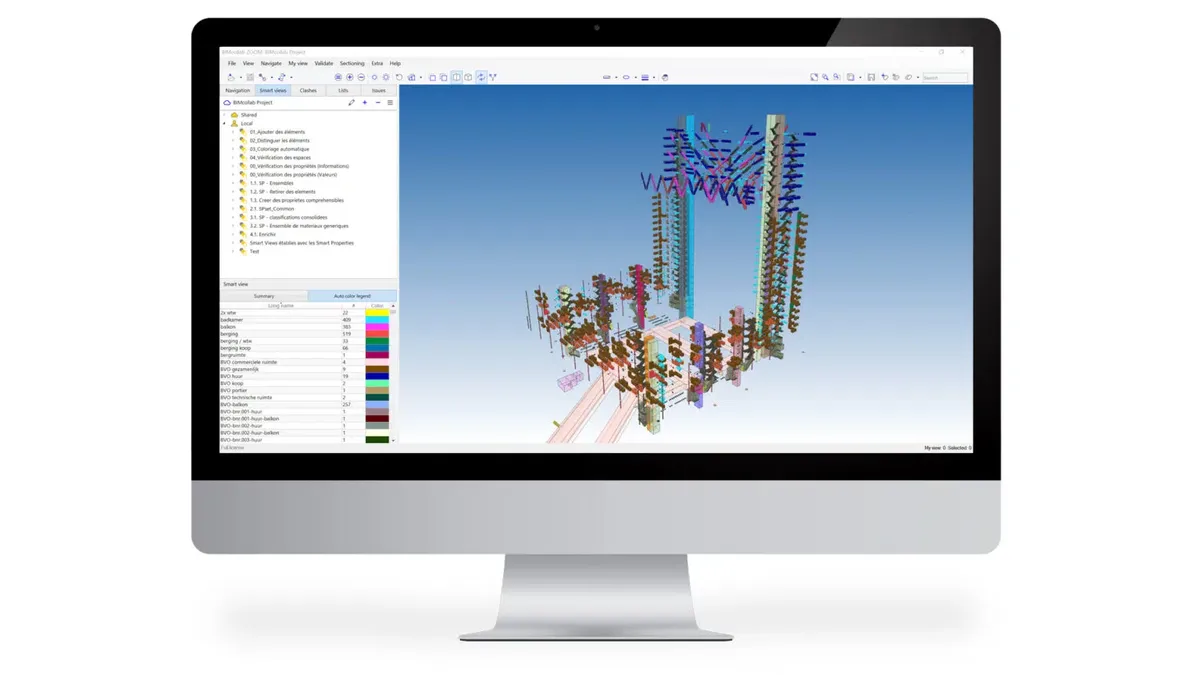
A desktop IFC viewer for Windows and macOS, with a free version and a paid tier. The free version already lets you navigate, work with BCF issues and open E57 point clouds alongside the model. The paid version adds clash detection and IDS validation.
5 · usBIM.viewer+ (ACCA)
A free IFC viewer from ACCA, certified by buildingSMART, which also lets you edit and correct an IFC —change properties, classify, convert—. The web version also opens RVT, CAD and point clouds.

6 · Trimble Connect
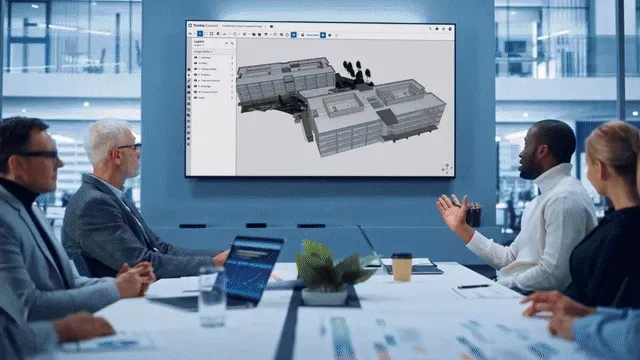
A collaboration environment with a web, desktop and mobile viewer. Its free personal plan is enough for one project with a small team; business plans are paid per user. Very common if you work with Tekla or SketchUp.
7 · Dalux
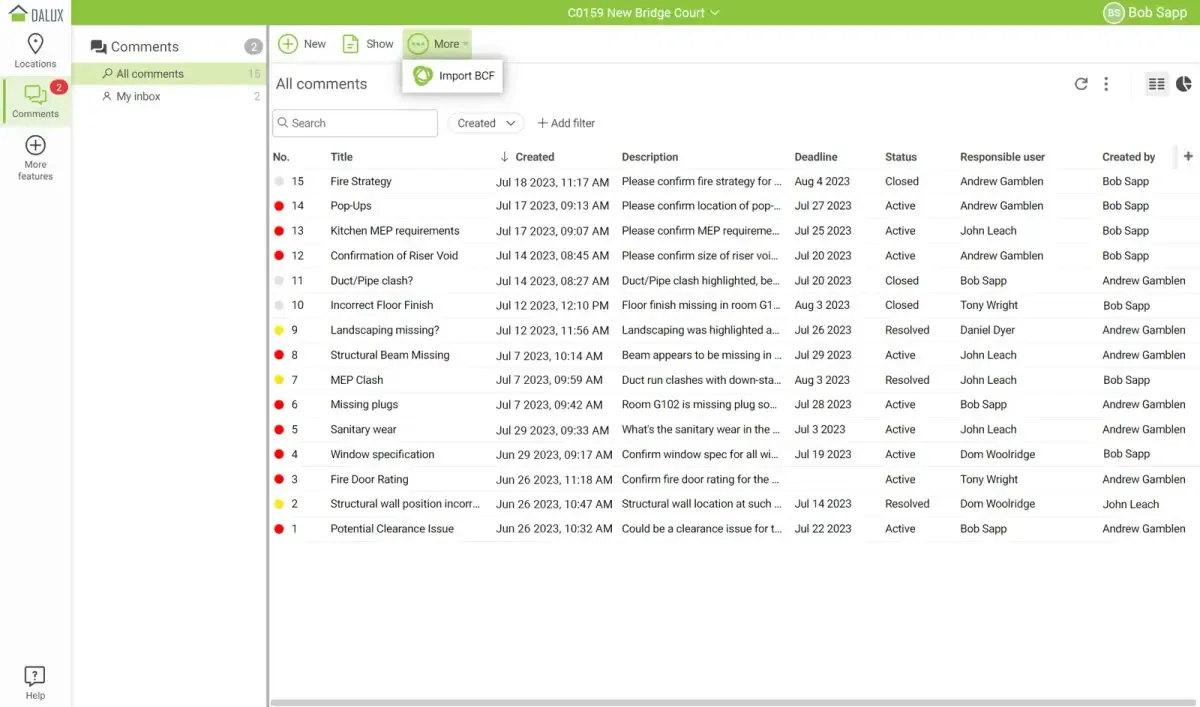
A free BIM viewer on web, iOS and Android, designed to take the model to site on a tablet. It reads IFC and has add-ins for publishing from Revit, Navisworks, Tekla or Archicad.
8 · BIMvision
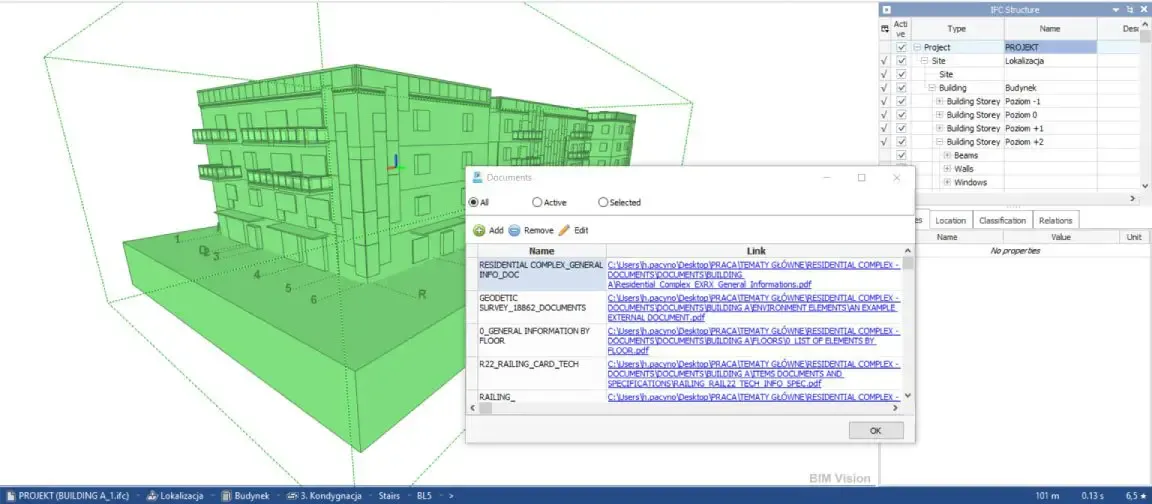
A free IFC viewer for Windows, including for commercial use, developed by the Polish company Datacomp. Lightweight and extendable with paid plug-ins (BCF, quantity take-off, version comparison).
9 · Open IFC Viewer
A free viewer from the Open Design Alliance for Windows, macOS and Linux. An offline desktop option if you work on Mac or Linux and only need to look.
10 · Navisworks Freedom
Autodesk’s free viewer for Windows is still available, but it only opens NWD and DWF: it does not open IFC directly. Useful when you receive a federated coordination model in NWD.
A note on the current state of play: many lists still recommend Solibri Model Viewer, which ceased to exist years ago, or Tekla BIMsight, which has been discontinued. And Solibri has stopped developing its free Anywhere viewer.
Point cloud viewers
Almost no list of BIM viewers covers this, but if you have commissioned a Scan to BIM you will receive a point cloud as well as the model. Besides VisionHub, which opens them in the browser, these are the desktop options for opening it without licences.
11 · Leica TruView
A free viewer for Windows (with a portable version that needs no installation) and in the cloud. It opens projects exported from Leica software and lets you move between the scanner setups, view the panoramas, measure and mark up. It is the most convenient way to hand over a scan to a client who only wants to look and measure.

12 · CloudCompare
Open-source software for Windows, macOS and Linux. It opens E57, LAS/LAZ, PLY and many more, and does something no BIM viewer does: calculate the deviation between a cloud and a model, or between two clouds, with colour maps. It is the reference tool for quality-checking an as-built.
One more worth knowing: Autodesk ReCap Pro, paid, which is the usual step for preparing a cloud before linking it into Revit.
Online IFC viewer: which to choose
If what you are after is opening an IFC in the browser, without installing anything, the choice depends on what else you need to do with it:
- The most complete option: VisionHub. It opens the IFC and lets you measure, walk through it, overlay it on the point cloud (E57, LAS, LAZ, COPC) and compare it with the actual state of the works, with splats, orthophotos and GIS layers in the same scene.
- Just looking at a model: Autodesk Viewer (which also opens RVT) or the usBIM web viewer.
- Reviewing issues as a team: the BIMcollab WebViewer or Trimble Connect, with BCF.
- Taking it to site on a tablet: Dalux, on the web and as an app.
Before uploading a model to an online viewer, check the privacy policy and where the data is hosted: on public or sensitive projects it may be a contract requirement.
Summary table
| Tool | Price | Platform | Best for |
|---|---|---|---|
| VisionHub | Free base plan + modules | Web, any device | IFC, clouds (E57, LAS, LAZ, COPC), splats, orthophotos and GIS alongside the real site |
| Blender + Bonsai | Free, open source | Windows, macOS, Linux | Reviewing and editing IFC without licences |
| Autodesk Viewer | Free | Web | Sharing an RVT or IFC without a licence |
| BIMcollab Zoom | Free / paid | Windows, macOS | IFC + BCF + E57 clouds |
| usBIM.viewer+ | Free | Desktop, web | Editing and correcting IFC |
| Trimble Connect | Free (personal) / paid | Web, desktop, mobile | Tekla / SketchUp teams |
| Dalux | Free | Web, iOS, Android | The model on a tablet, on site |
| BIMvision | Free | Windows | Lightweight IFC viewer |
| Open IFC Viewer | Free | Windows, macOS, Linux | Offline IFC on Mac or Linux |
| Navisworks Freedom | Free | Windows | Federated NWD models |
| Leica TruView | Free | Windows, cloud | Navigating and measuring a scan |
| CloudCompare | Free, open source | Windows, macOS, Linux | Cloud-to-model deviations |
Which viewer for each deliverable of a scan
When we deliver a scanning and modelling project, the client usually receives three things, and each has its natural viewer:
- The point cloud (E57, LAS, RCP): VisionHub to share it in the browser with the whole team, TruView to look and measure on the desktop, CloudCompare to analyse, ReCap to prepare the move to Revit.
- The BIM model (RVT, IFC): VisionHub or Autodesk Viewer to review it; Blender with Bonsai or usBIM if the IFC needs to be edited. Before signing it off, check that the classification and properties have made it into the IFC.
- Ongoing monitoring: if the model is going to be used to control a construction project or an asset, VisionHub brings together model, cloud, cameras, photos and 360 tours in a digital twin accessible from any device.
Not sure which format to ask for or what to open it with? Tell us who will use the model and for what, and we will propose the combination of deliverables and viewers that will cause your team the least friction.